Chris Leong

Disoriented views from the rosy lens of an optimistic realist.

How to enter data in multiple sheet at the same time in Excel?

digg_url = “http://www.chrisleong.net/index.php/2009/04/18/how-to-enter-data-in-multiple-sheet-at-the-same-time-in-excel/”;digg_title = “How to enter data in multiple sheet at the same time in Excel?”;digg_bgcolor = “#F8F8EC”;digg_skin = “normal”;digg_url = undefined;digg_title = undefined;digg_bgcolor = undefined;digg_skin = undefined;

Here’s another tip that I found on the web. Hope its useful.

In Excel 2007, it’s possible to enter the same data into several worksheets without retyping or copying and pasting the text into each one. As an example, let’s say you want to put the same title text into different worksheets. One way to do this is to type the text in one worksheet, and then copy and paste the text into the other worksheets. If you have several worksheets, this can be very tedious.

An easier way to do this is to use the CTRL key to group worksheets. When worksheets are grouped, whatever you do to one worksheet affects all other worksheets.

  1. Start Excel. A new, blank workbook appears.
  2. Press and hold the CTRL key, and then click Sheet1, Sheet2, and Sheet3.

    This temporarily groups the worksheets. In the title bar, you should see the name of the workbook followed by the word [Group].

  3. Click in cell A1 in Sheet1, and then type:

    This data will appear in each sheet.

  4. Click Sheet2 and notice that the text you just typed in Sheet1 also appears in cell A1 of Sheet2. The text also appears in Sheet3.

    Tip   When you click another worksheet, Excel automatically ungroups the worksheets for you.

Silverlight DeepZoomPix – A new way of showcasing your photos

This is a technology demonstration by Microsoft that allows you to view your photo’s in a whole new light. It’s really quite cool and I’m sure you will find it useful too. View a sample from Chris Leong’s DeepZoomPix Album


Here’s some overview of DeepZoomPix

Using Silverlight’s exclusive Deep Zoom technology, DeepZoomPix enables you to interactively explore and share photos like never before:

  • Enable a seamless experience for navigating large numbers of images regardless of Internet connection quality.
  • Make possible a “tactile” way of exploring and interacting with photographic images on the web.
  • Empower users to dynamically zoom in on photos without having to navigate to higher resolution versions.

You can directly access photos from Facebook, Flickr or any photo RSS feed and share your DeepZoomPix creation with the world through your blog or website.


Here are some snapshots of what you can do in DeepZoomPix

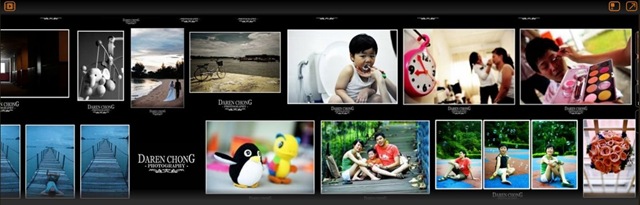
1) Different Layouts you can choose from

Layouts

2) Zooming in to your pictures

ZoomingIn

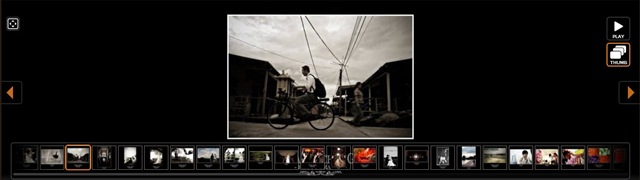
3) Slide Show View

Deep Zoom Slide Show View

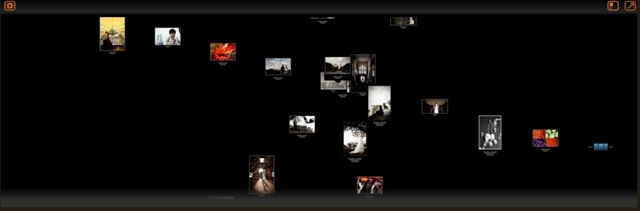
4) Some different layouts

Different Layouts


P.S

  1. These photos are from my buddy Daren Chong. Check out more great wedding photos @ Daren Chong’s Blog
  2. I’ve also share a similar post few months back. Check it out here

Error when open Excel Doc in TFS

For those who are getting error when open Excel documents stored on the Team Foundation Server (TFS). Courtesy from Poh Sze.

“TF84037: There was a problem initializing the Microsoft Excel Team Foundation Addin.  Re-installing the Team Foundation Client may be required.”

The reason is because the Office .Net programmability support is not installed.  You need to modify your installed version of Office and install this option.

1.  In Add/Remove programs, locate your Office application and select it.
2.  Click on the ‘Change’ button
3.  Select ‘Add or Remove features’ and click ‘next’
4.  Select ‘Choose advanced customization of applications’ and click ‘next’
5.  In the tree view, expand ‘Microsoft Office Excel’ and make sure the .NET Programmability Support option is set to ‘run from my computer’.
6.  Click ‘update’

DevTalk – Improving Software Quality

Apologies for not posting this up sooner. It has slipped my mind with all the deadlines that i need to catch.

Here’s the link to my slides for both session “Build Better Software – Code Performance” and “Governing Software Quality with Visual Studio Team System”

Link to my slides

In the link, you can also find an excel spreadsheet with some recommendation on Capacity Planning. This is courtesy from the ACE team. ACE team is

The ACE (Application Consulting & Engineering) Team is responsible for application performance, security & privacy engineering @ Microsoft.  Our mission is to drive application excellence into production by providing application engineering leadership through world class performance, security & privacy analysis services.

Here is also some great information on Performance Testing Guidance Patterns & Practices and a Quick Reference Guide on Testing with VSTS

Porter 5 Forces – Swiss Knife of Strategy

Although, this post is not about technology but I always believe in sharing information and knowledge. Recently in my MBA program, i was asked to write about a theory which I find most useful in strategy. So here i will be sharing some of my views about a popular theory called Porter 5 Forces.


Here’s a brief intro about Porter 5 forces for those who don’t know. (Reference from Wikipedia.)

Porter’s five forces analysis is a framework for the industry analysis and business strategy development developed by Michael E. Porter of Harvard Business School in 1979 . It uses concepts developed in Industrial Organization (IO) economics to derive five forces which determine the competitive intensity and therefore attractiveness of a market. Attractiveness in this context refers to the overall industry profitability. An "unattractive" industry is one where the combination of forces acts to drive down overall profitability. A very unattractive industry would be one approaching "pure competition".

In the assignment, I review how Porter 5 forces is useful in many ways and can be combined with multiple theories. It basically provides a good platform for people to view the “market” at different angles. It allows you to analyze:

  • Whether a firm should go upstream or downstream in integrating its operations
  • It’s competitors from various angles

This can be used as basis to decide what kind of strategy to be implemented.

Get the attachment about My Eureka Moments about Porter 5 Forces 

P.S

For those who wants to use my material feel free to do so. Just reference it back to my blog 🙂

Excel Tips – View Worksheet Side by Side

It’s been very long since i posted another office tips and tricks page. I sometimes needs to do that and it really is frustrating when you need to switch between Excel files. I guess this tip will be useful for those who needs to compare worksheet side by side.

So here how you can view your worksheets side by side.

On the View tab, in the Window group, click New Window.

Inst

clip_image004

On the View tab, in the Window group, click View Side by Side .

clip_image006

In the Compare Side by Side dialog box, click the worksheets that you want to compare. To scroll both worksheets at the same time, click Synchronous Scrolling  in the Window group on the View tab.


Thanks to Lee Chun Onn that provide me. Have a tips and tricks that you want to share. Email me 🙂

StarGazers now can use Silverlight to view the universe

Was looking for some cool Siverlight demo for me to do a presentation. And manage to find one that is quite cool.

Its called WorldWide Telescope by Microsoft Research.

What is WWT?

The WorldWide Telescope (WWT) is a Web 2.0 visualization software environment that enables your computer to function as a virtual telescope—bringing together imagery from the best ground and space-based telescopes in the world for a seamless exploration of the universe

I’m totally ignorant about astronomy and if anyone out there can tell me whether this is useful that will be great. I’m find this technology fascinating. 🙂

WorldWideTelescope

Viewing the universe with Silverlight


ZoomingInToMars

Zooming in to have a good look at Mars

Trend Micro has a new anti virus for Windows 7 beta

Just got to know this when browsing through the blog The Road to Know Where

Microsoft Security software provider, Trend Micro, has released their Internet Security for Windows 7, providing smart protection for your home network, covering up to three (3) PCs.

Easy to install, configure, and manage, Trend Micro Internet Security for Windows 7 protects your home network, personal identity, and online activities against viruses, spyware, identity theft and other present and future web threats. Confidently e-mail, shop, bank, or share photos online, knowing your privacy and files are well protected.

I’m actually trying out Kaspersky in my Win7 beta. Will wait for a while to try Trend Micro’s.

Download and try it out here. Trend Micro Internet Security for Windows 7 Beta

Quick Test Reference for Visual Studio Team System

Finally you can get a cheat sheet on how to test in VSTS. Thanks to VSTS Rangers in providing a quick reference for the test features in VSTS.

This guide covers.

  • Setup Considerations
  • Web Test Considerations
  • Web Service Test Considerations
  • Unit Test Considerations
  • Load Test Considerations
  • Load Test Rig Consideration
  • Performance Data Collection And Usage
  • Load Test Results Store Information
  • Test Customization
  • Items Changed Or Fixed In Vsts 2008 Sp1
  • General Commands And Tricks (Not Vsts Specific)

Download it from http://vstt2008qrg.codeplex.com/

Info in protecting yourself from the Conficker virus

Just got some information on how to protect yourself from the Conficker virus that is creating havoc around the world. Microsoft even offer a USE250k reward to find the culprit.

Anyway, here are some links that offers good information about getting yourself protect.

Microsoft has published new information today on the following web pages:

On a separate note,

A friend of mine, who is knows a lot about security has recently gave me some decent advise about security. He mentioned these few tips.

  1. You should not log in as an admin to do your daily work/web surfing. Log in as normal user and only use admin when necessary
  2. If you have more than 1 pc, don’t use the same PC for downloading all your torrents, mp3s, movies and etc, and do your online banking. Use a different PC
  3. Make sure you update all your patches and anti virus

It make sense, but I’m also guilty in not applying some of his advice. I guess i need to remind myself to be discipline.

Anyway, to learn the 4 steps to protect your computer. check it out @ this site

and check out my friends blog @ http://www.myownenemy.net/